Flares Cloud · Security
Projects that cannot reach each other.
Isolation is the property everything else rests on: your data, your users and your code are separated from every other project on the platform — by architecture rather than by a filter somebody has to remember.
Data
Your project has its own database.
Not a shared table with a project column. Each project is provisioned its own database with its own credentials, so a query in one project has nothing to reach in another.
Separate by construction
Isolation is a property of how projects are provisioned, not of a WHERE clause being written correctly every time.
Backed up
Backups are taken for you on a schedule, per project.
Rules on top
Within a project, collection rules decide who may read and write which records.
Keys
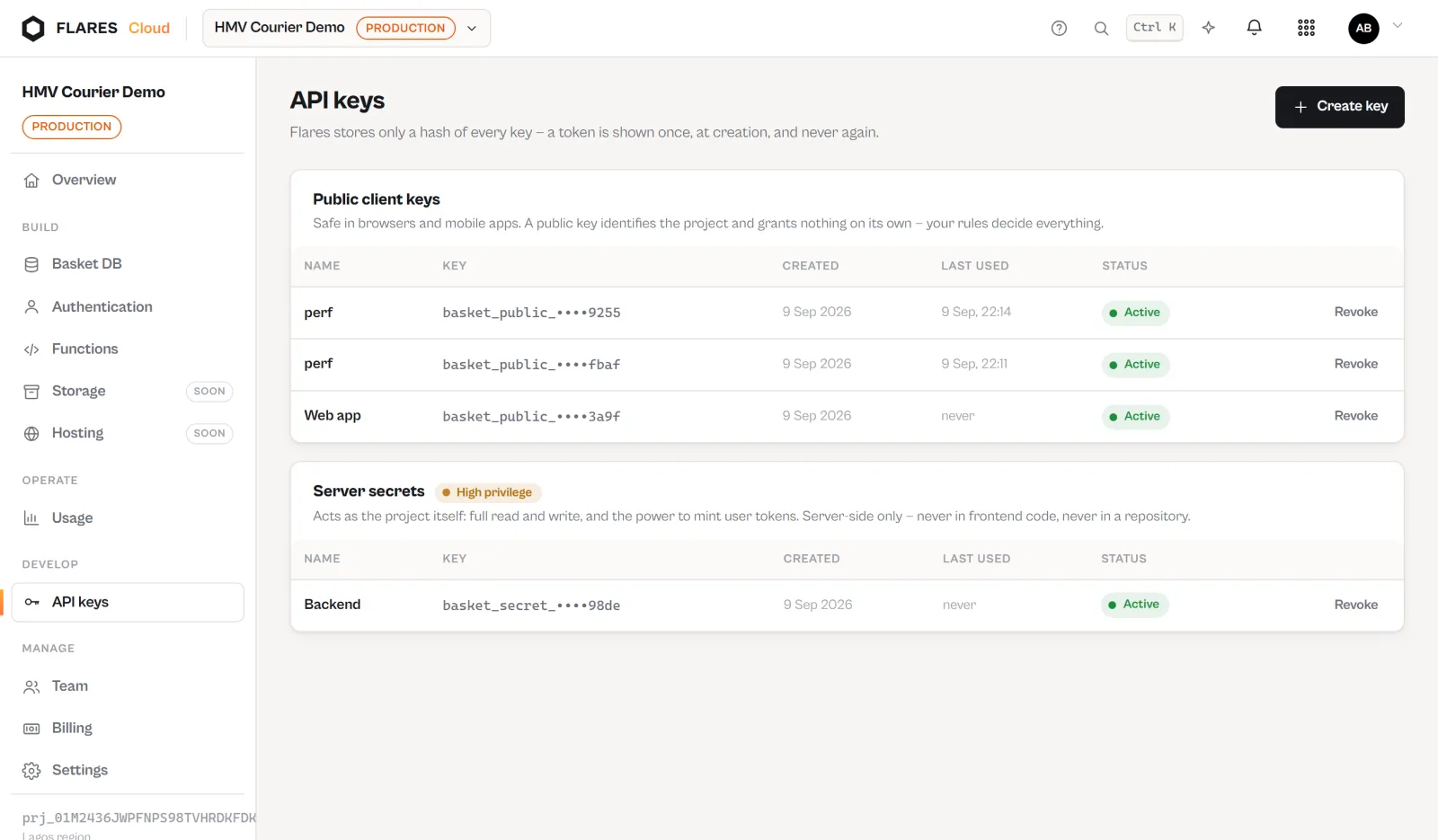
Two keys, two jobs.
A public key belongs in your application and can do only what an application should. A secret key changes structure and belongs on a server you control.
Scoped, listed, revocable
Keys are issued per project, shown in the console, and can be revoked when somebody leaves or a laptop goes missing.
- A public key cannot create or alter collections
- Keys belong to one project and work nowhere else
- Revoking a key takes effect immediately
Code
Customer code runs contained.
A Flares Function is somebody’s code running on our infrastructure, and it is treated that way.
Its own process, its own limits
Each invocation runs in a separate process with its own time and memory ceilings, and cannot start programs on the host.
Its own filesystem view
A function can see its own deployment and nothing else — not the platform, not another project’s code.
Its own user
Function processes run as an unprivileged account with no access to platform configuration or credentials.
Secrets
The things that must not be in Git.
Environment variables are set on the function, stored by the platform and read by your code at run time. Secret values are never shown back in the console, never printed into a build log, and never need to be committed.
Not in your repository
Connecting a repository does not move your secrets into it. They stay in Flares.
Not in build logs
A secret value does not appear in the record of a deployment.
Not in the console
Once set, a secret can be replaced but not read back on screen.
Being straight about it
What we do not claim.
Flares does not currently hold SOC 2 or ISO 27001 certification. If your procurement needs a certification or a security review, contact us and we will answer precisely rather than put a badge on a page.
Build on Flares Cloud
Create a project and see the isolation model from the inside.