Flares CRM · Contacts
Know the person, not just the record.
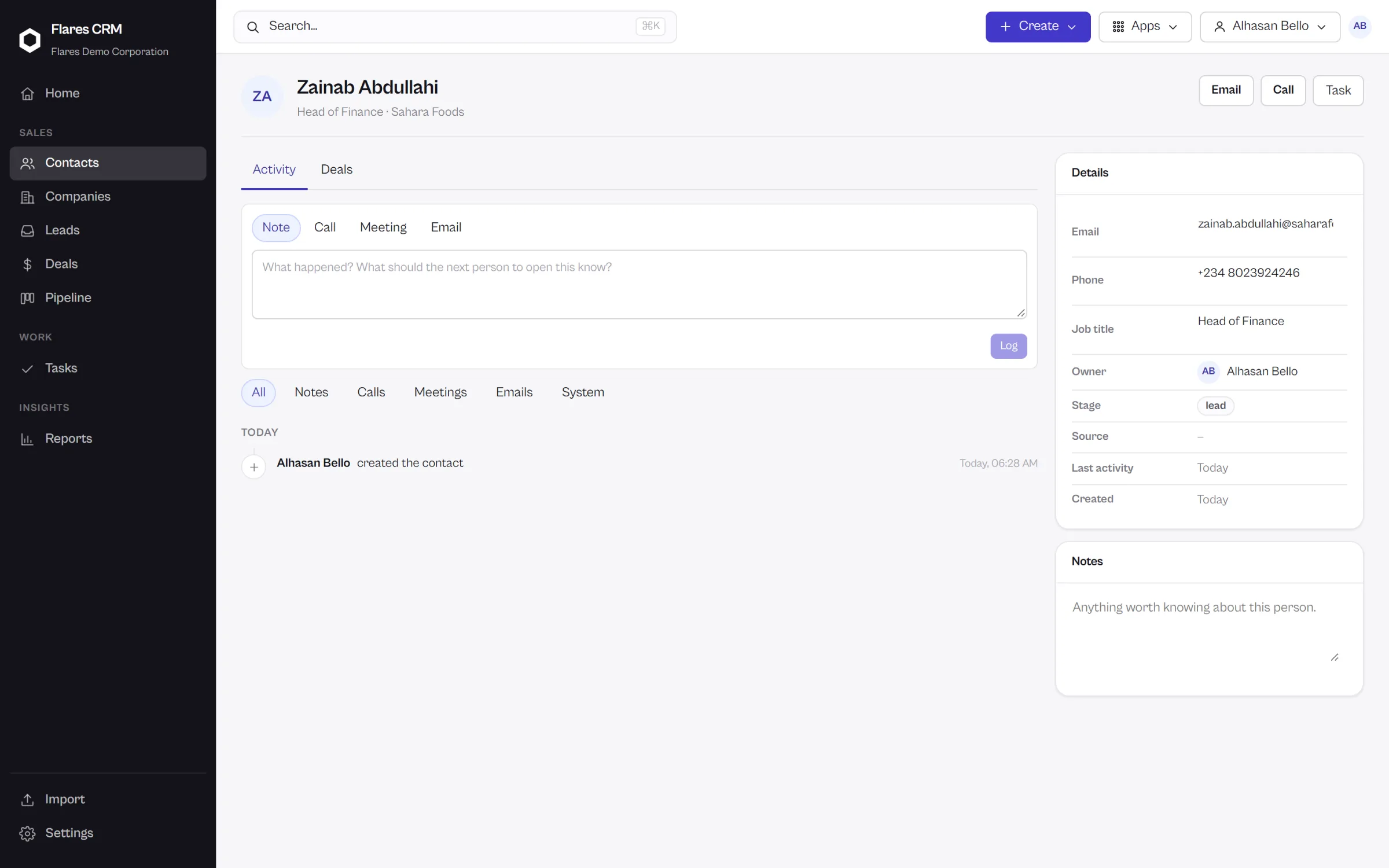
A name and an email address is a spreadsheet row. A contact in Flares CRM carries who owns the relationship, which company they belong to, what you are working on together, and everything that has already happened.
The record
What a contact holds.
Their details
Name, email, phone, job title and the company they work for — the ordinary things, entered once.
An owner
Somebody is responsible for the relationship, and everyone can see who. Ownership also decides who the record is visible to.
Their deals
The opportunities this person is part of, open and closed, without leaving the record.
Notes and tasks
What was said, and what you promised to do next. Both attached to the person rather than somebody’s notebook.
Your own fields
Custom properties for the things your business tracks that no CRM could have guessed.
A timeline
Every activity, note, task and change in the order it happened.
The list
Thousands of people, and the twelve you need.
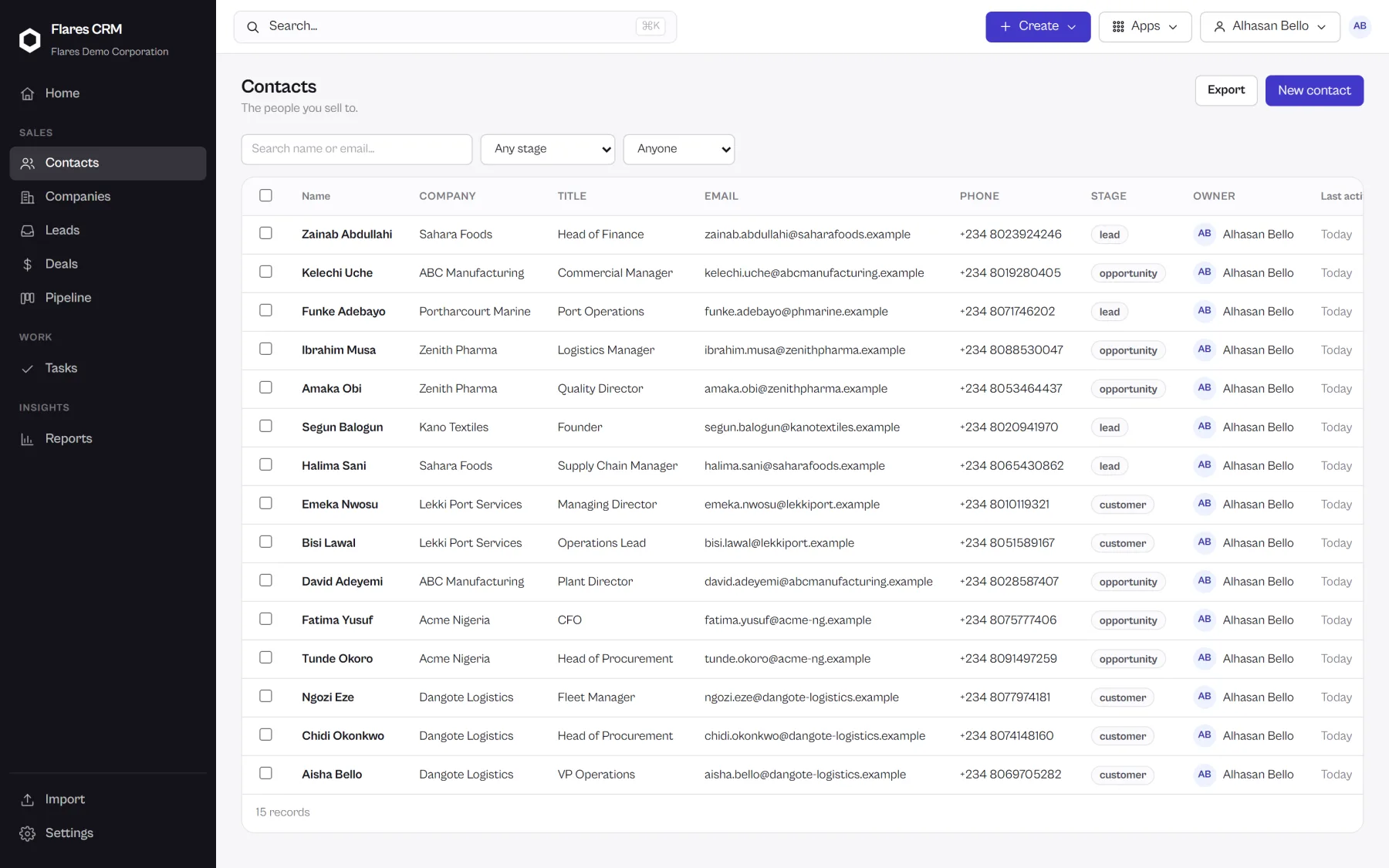
Filter contacts down to what you are working on, act on many at once, and keep the filter as a view instead of rebuilding it tomorrow.
Filter, act, save
Narrow the list, select what you found, and change owner or apply an action to all of it in one go. Then save the filter as a view your team shares.
- Bulk actions on a selection, rather than one record at a time
- Saved views, so a useful filter survives the afternoon
- Export what you are looking at, whenever you want it
Duplicates
The same person, entered twice.
It happens in every CRM: a lead converts, somebody imports a spreadsheet, and now there are two of the same person. Flares looks for it and offers to fix it.
Detected
Records that look like the same person are surfaced rather than left for somebody to notice.
Compared
You see both records side by side before anything is decided.
Merged
One record survives — and the notes, tasks, deals and timeline of both come with it.
Getting them in
Your contacts, from wherever they are now.
Export a CSV from whatever holds your customers today, map the columns, check the preview and import. And export them back out whenever you want.
Bring your contacts into Flares CRM
Create your organization, import your people, and start working. Nothing else about your company has to change.