Flares CRM · Importing
Bring your customers with you.
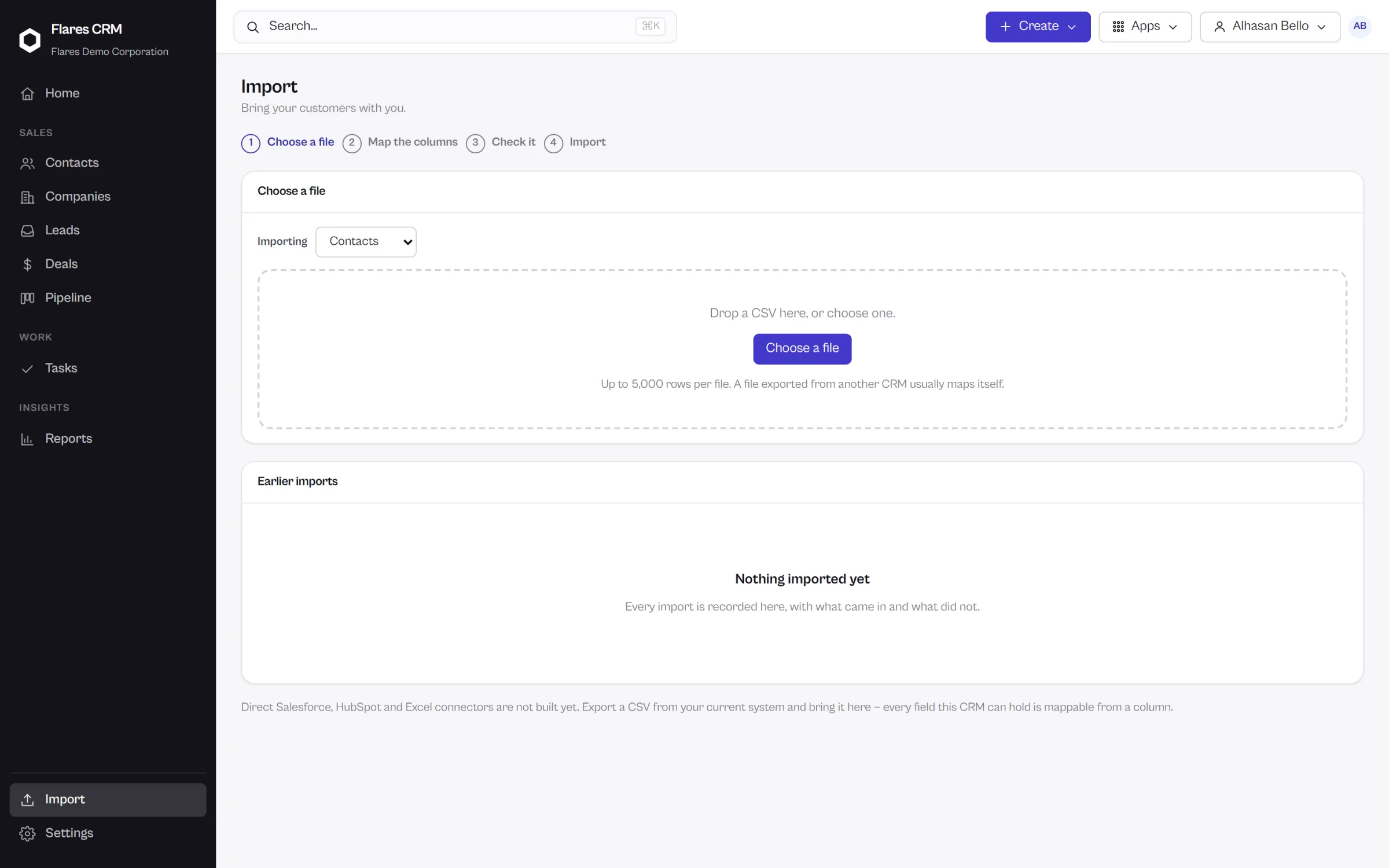
Whatever holds your customers today can produce a spreadsheet. Upload it, tell Flares which column is which, look at exactly what will happen — then import.
Contacts, companies, leads and deals import from CSV today. Direct connectors to other CRM products are not built yet, so this page does not pretend otherwise.
The process
Nothing is written until you have seen it.
Upload
A CSV of contacts, companies, leads or deals — exported from whatever you use now.
Map
Match your columns to CRM fields, including any custom properties you have created.
Preview
See what the records will look like, drawn from your actual file rather than described in the abstract.
Import
Commit it. What went in is what you were shown.
What imports
The four things a CRM is made of.
Contacts
The people you deal with, with their details and the company they belong to.
Companies
The accounts themselves, so contacts land against the right organization.
Leads
Enquiries you have not yet qualified, brought in to be worked properly.
Deals
Opportunities in progress, so your pipeline is not empty on day one.
Being straight about it
What is not built yet.
Flares CRM does not have direct connectors to other CRM products. There is no button that reads another vendor’s system and copies it across, and advertising one would only waste your afternoon.
The route that works today
Every CRM worth leaving can export CSV. That export is the route in, and it is a good one: you see the mapping, you see the preview, and you keep the file. More import sources are planned.
- CSV import for contacts, companies, leads and deals
- Column mapping, including your own custom properties
- A preview built from your real file before anything is committed
And back out
Your data is not held hostage.
Export your records whenever you want them, in a format anything else can read. A CRM that is hard to leave is not one you should have to trust in the first place.
Move your customers in
Export a CSV from what you use today, and import it into a CRM that shows you the result first.