Flares CRM · Pipeline
Your pipeline, without the clutter.
Stages across, deals down, value and owner on every card. Move a deal by dragging it — Flares records the change, the stage history and the date, so the board is always what is actually happening.
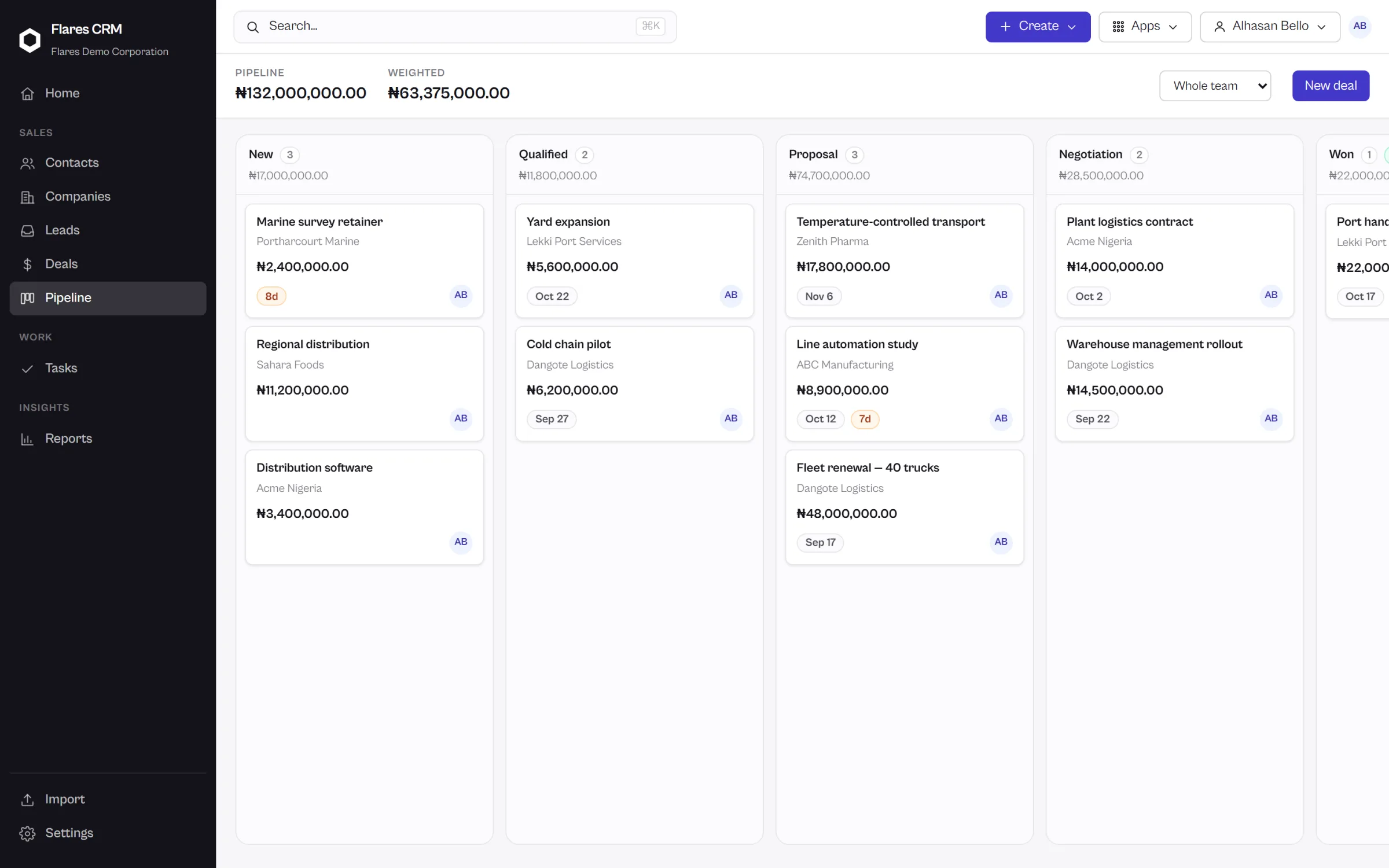
The board
Move a deal by dragging it.
The board is not a report of the pipeline. It is the pipeline — the place the work is done.
Every card carries its facts
Value, owner and the company it belongs to are on the card, so you can read a column without opening anything.
Totals per stage
Each stage shows what it holds, and the board shows what the whole pipeline is worth. Nobody adds it up.
History writes itself
Moving a deal records the stage change and when it happened. That is where the sales-cycle and stage-duration numbers come from later.
Stages
Stages that hold their shape.
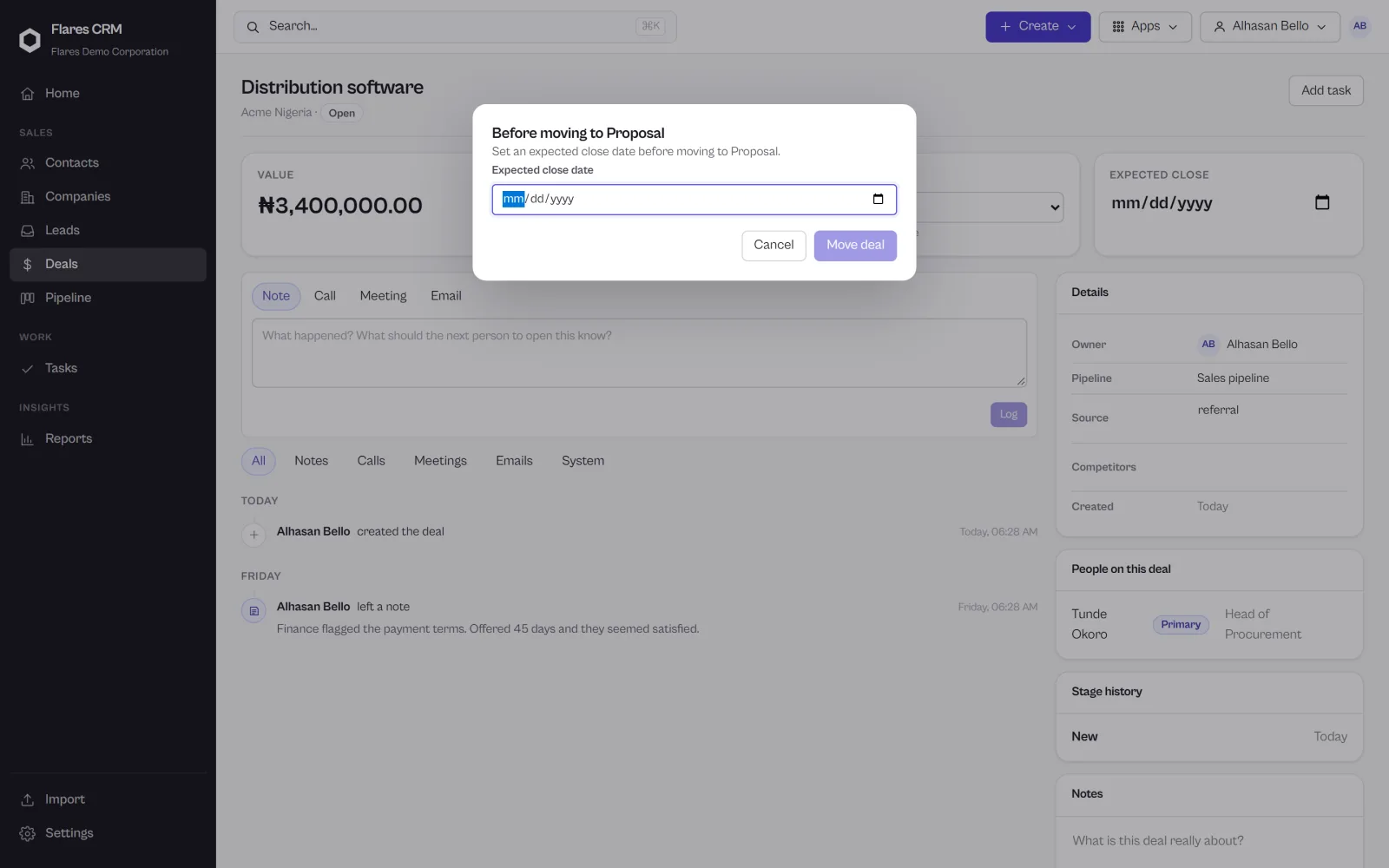
A stage can insist on what a deal needs before it is allowed to advance — so “Proposal” means the same thing on every deal, on every rep’s board.
Requirements, where they matter
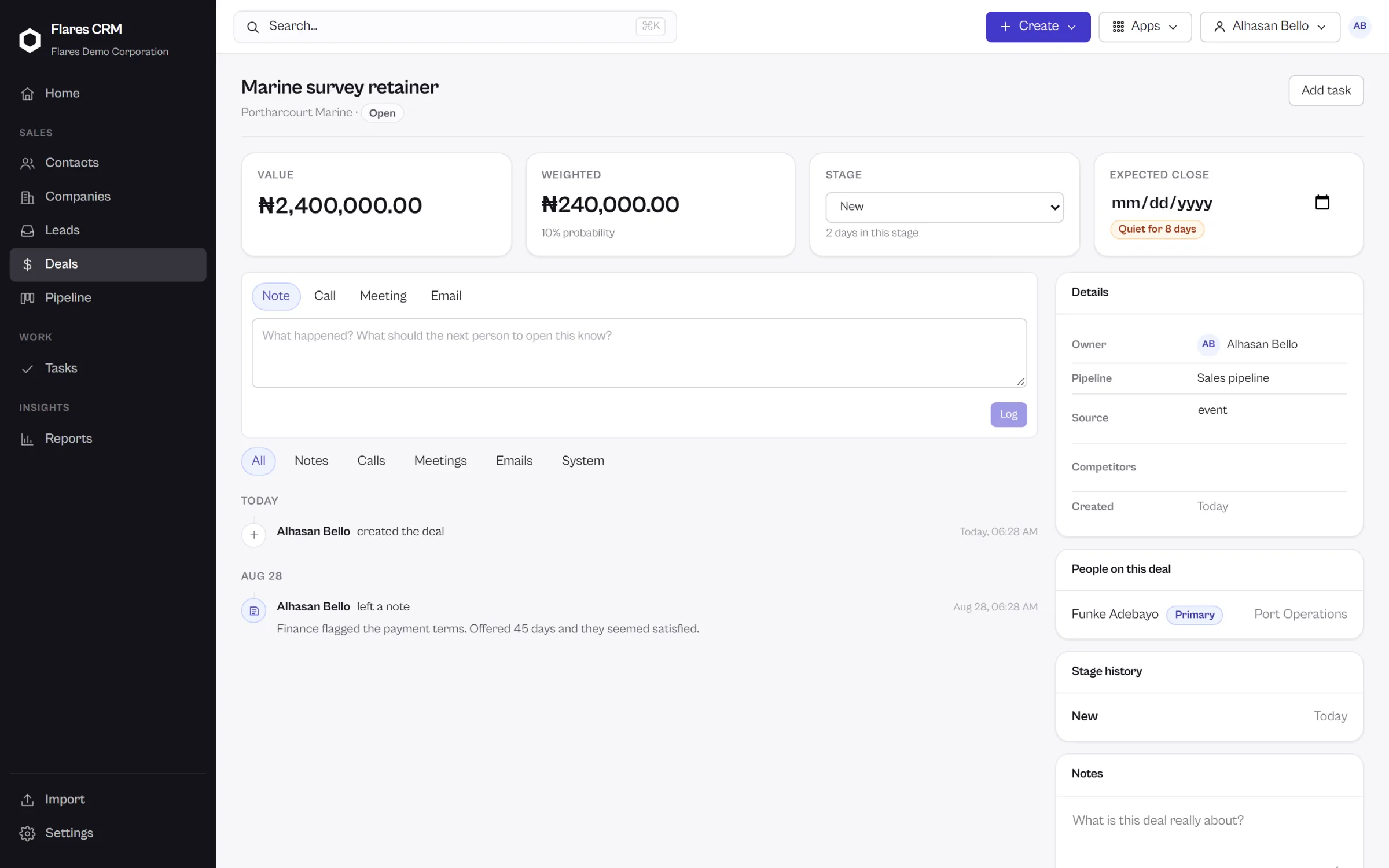
Set what a deal must have to enter a stage. A deal that is missing something is stopped at the point of the move, and told what is missing — not discovered at the end of the quarter in a report.
- The rule is enforced when the deal moves, not audited afterwards
- The reason is shown to the person moving it
- Stages, order and requirements are yours to set
More than one pipeline
New business and renewals are not the same sale and should not share a board. Create the pipelines your business actually runs, each with its own stages.
- Each pipeline has its own stages and order
- Deals belong to one pipeline, and report separately
- Configured in settings, not in a support ticket
One deal
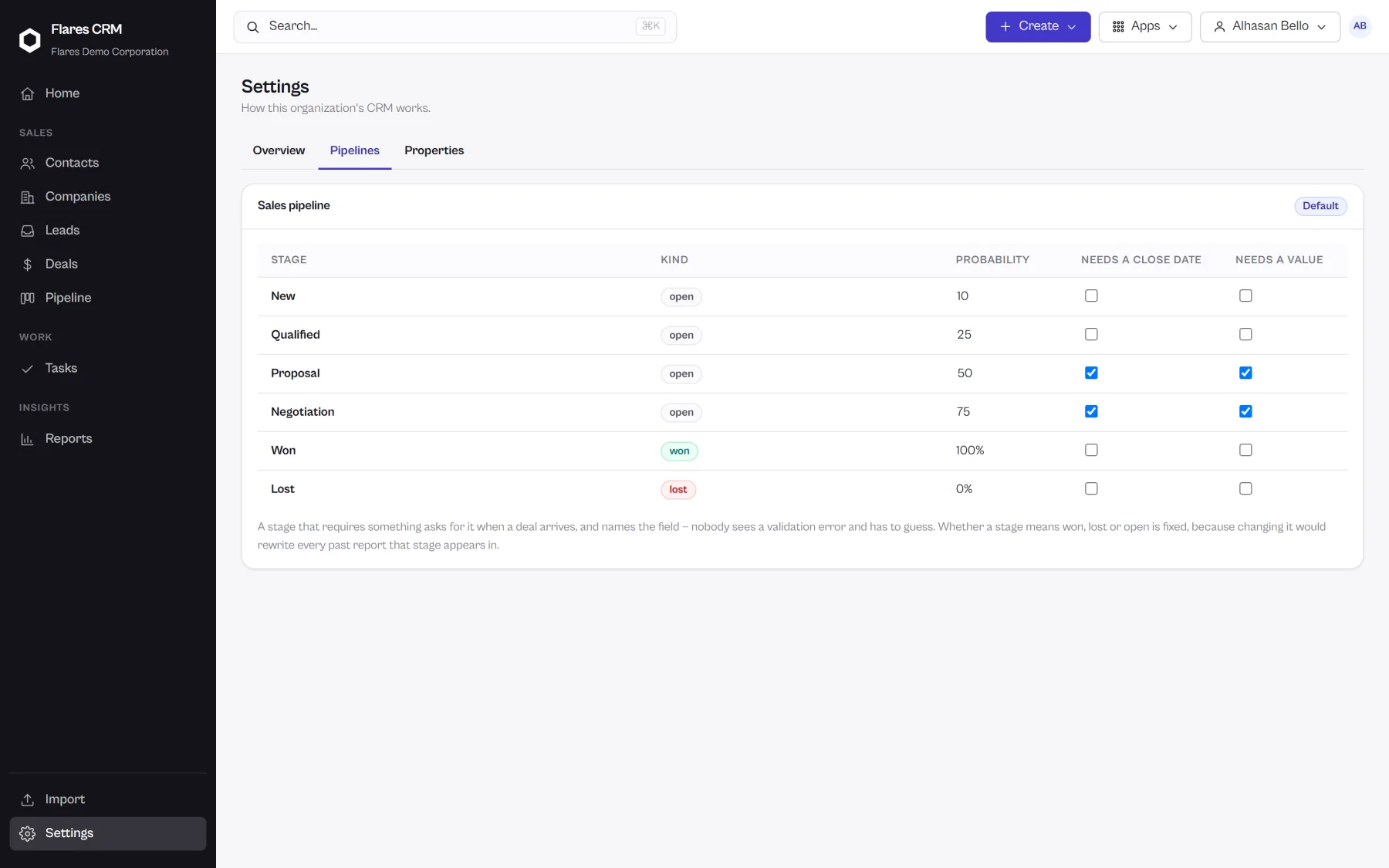
Everything about the opportunity, in one place.
Open a card and the deal has its value, its stage, its owner, the company and people it involves, its tasks, and the full record of what has happened.
The deal and its history together
Notes, tasks, activity and stage changes sit on the deal in the order they happened, so the story of the opportunity is readable by anybody who picks it up.
Closing
Won and lost, with the reason attached.
A closed deal records why. Those reasons become the report that tells you what is really costing you business.
Won
The deal closes, the value counts toward revenue won, and the relationship history stays on the company and its people.
Lost, with a reason
Losing is recorded with a reason rather than a deletion, so the pattern is visible later instead of forgotten.
Nothing quietly disappears
Deals are archived rather than erased, and the account keeps its history either way.
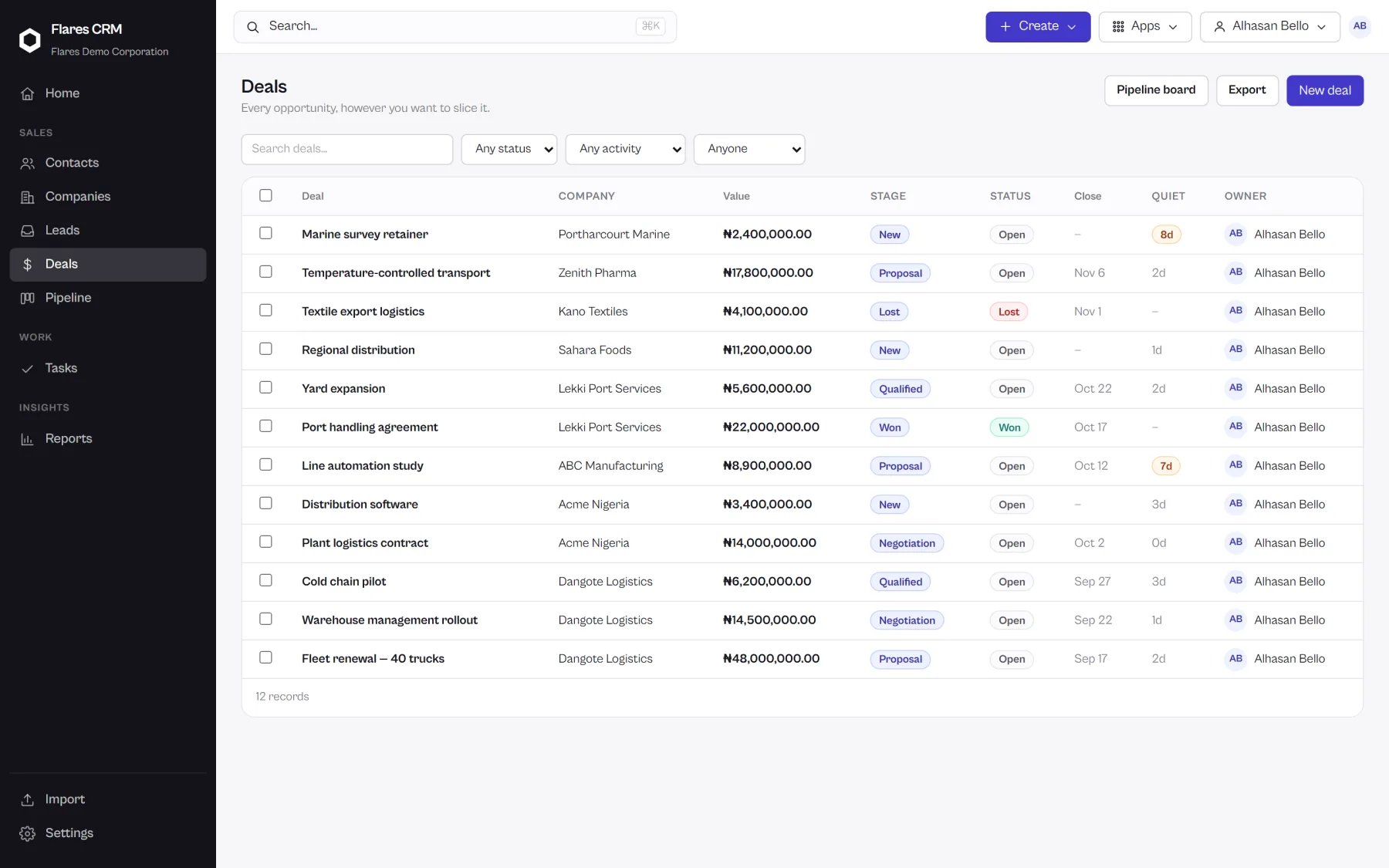
A list, when a board is wrong
Sometimes you want rows.
A board is right for working a pipeline and wrong for comparing forty deals. The same deals are a table when you need one — sortable, filterable, and saveable as a view you return to.
Filter it, then keep the filter
Narrow to what you are actually working on, then save it as a view. The next person on the account finds the same one waiting.
See your pipeline in Flares CRM
Create your organization, add a deal, and move it. The board is there from the first minute — you do not build it first.