Flares CRM
Sell. Don’t administer software.
Every customer, conversation, opportunity and follow-up in one place — with opinions already made, so your team spends the week selling instead of configuring fields.
Works on its own. You do not have to move the rest of your company to Flares to use it.

The idea
Simple by default. Powerful when you ask.
Most CRMs hand you an empty system and a configuration manual. Flares CRM arrives with the decisions already made, and gets out of the way when you need something specific.
One obvious way to do the common thing
Adding a contact, moving a deal, logging a call. The ordinary work has a single, direct path — not four, behind a settings screen.
Defaults that already work
A pipeline with sensible stages exists the moment your organization does. You can change it. You do not have to build it first.
Depth where it earns its place
Custom properties, multiple pipelines, stage requirements, saved views and role-based access are all there — found when you look for them, not in the way when you do not.
The home screen
It opens on the work, not on a dashboard.
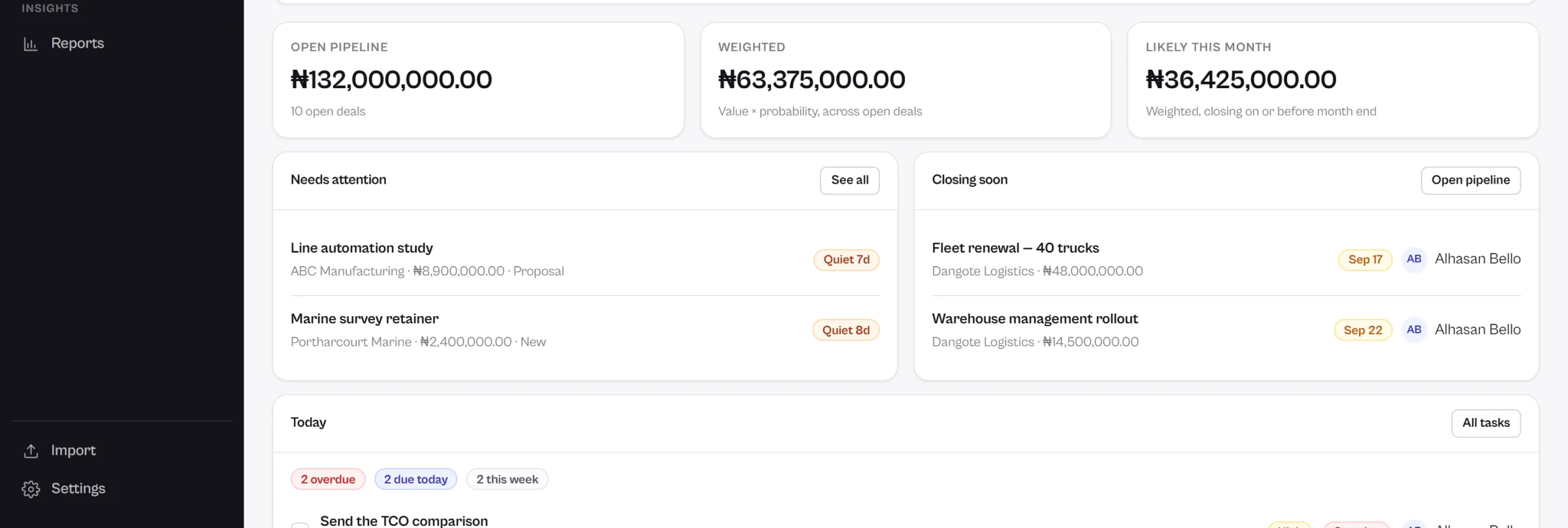
A chart of last quarter does not tell a salesperson what to do this morning. Flares CRM answers a different question: what needs you today?
The things with your name on them
Tasks due, tasks overdue, and the deals that have stopped moving — gathered on one screen and ordered by what is most pressing, so nothing depends on somebody remembering to check a report.
- Follow-ups due today, and the ones already late
- Deals that have not moved in longer than they should
- Where the pipeline actually stands, in money
Customers
The relationship, not just the record.
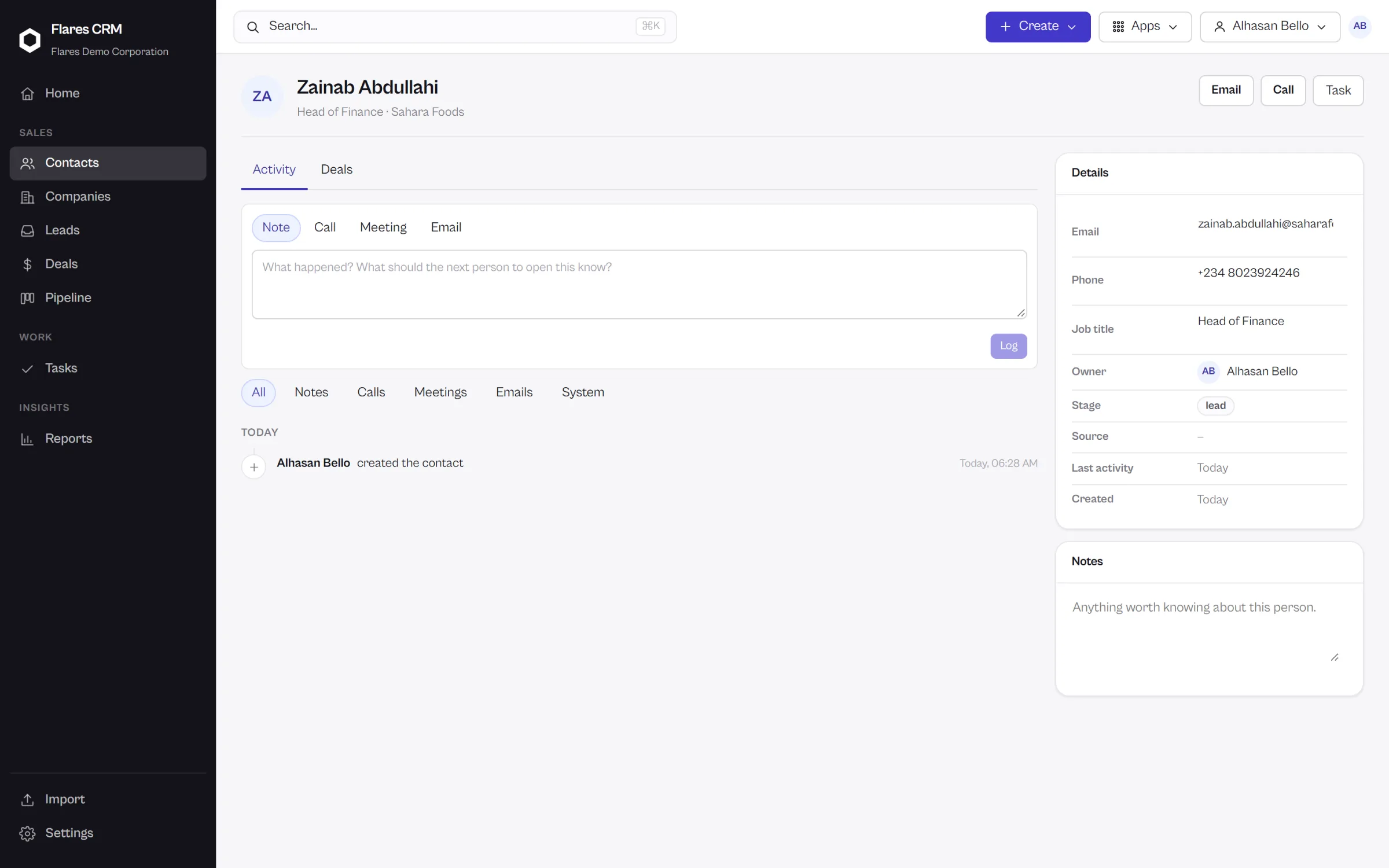
A name and a phone number is a row in a spreadsheet. What makes a CRM worth having is everything around it.
People
A contact carries their details, their owner, the company they belong to, the deals they are part of, and every note, task and activity recorded against them — in the order it happened.
- Ownership, so everyone knows whose relationship it is
- Notes, tasks and activity on one timeline
- Duplicate detection, and a merge that keeps the history
Companies
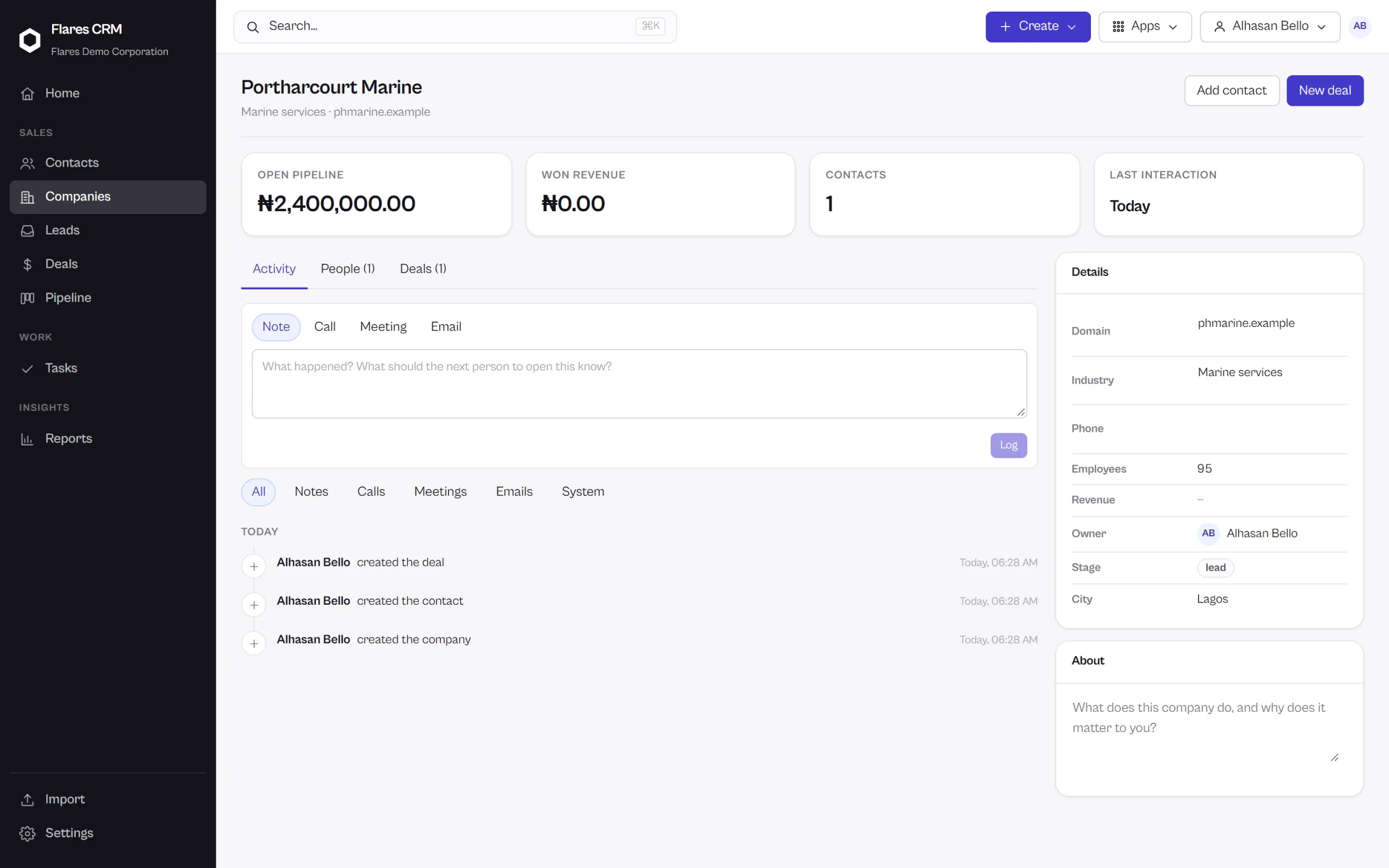
Most business is done with an organization, not a person. A company brings its people, its opportunities and its whole history together, so anyone picking up the account can see it in one screen.
- Every contact at the company, and who owns them
- Open and closed deals against the account
- The account’s activity, in one timeline
Leads
From an enquiry to a real opportunity.
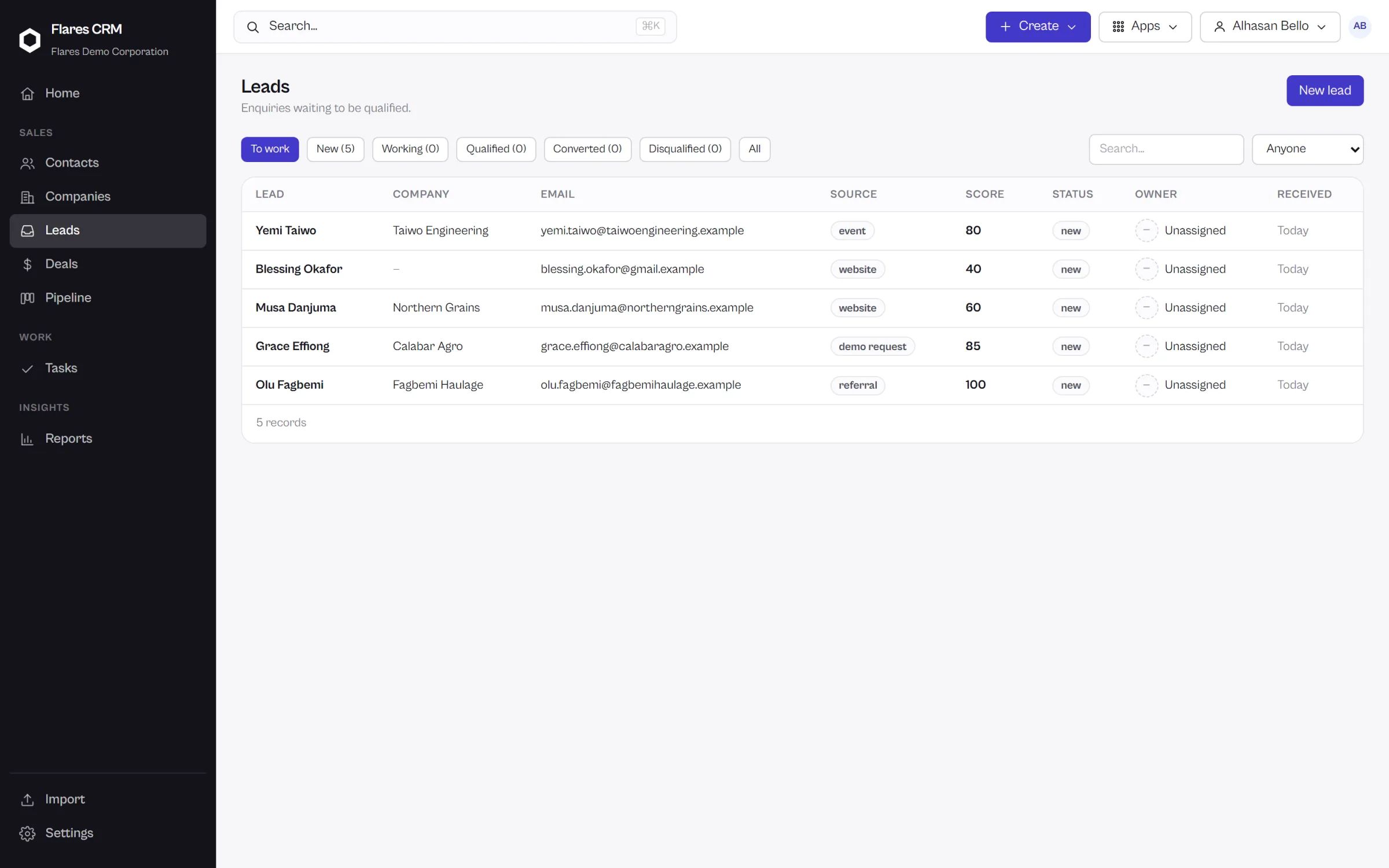
New interest arrives in one place, gets an owner, and either becomes a customer or is closed with a reason. Nothing sits in an inbox being nobody’s job.
Arrives
A new enquiry lands in the lead inbox with its source recorded.
Assigned
Round-robin gives it an owner immediately, so it is somebody’s responsibility from the first minute.
Qualified
Worked, scored and either taken forward or disqualified with a reason you can report on later.
Converted
One action turns it into a contact, a company and an open deal — carrying its history with it.
Deals
Your pipeline, without the clutter.
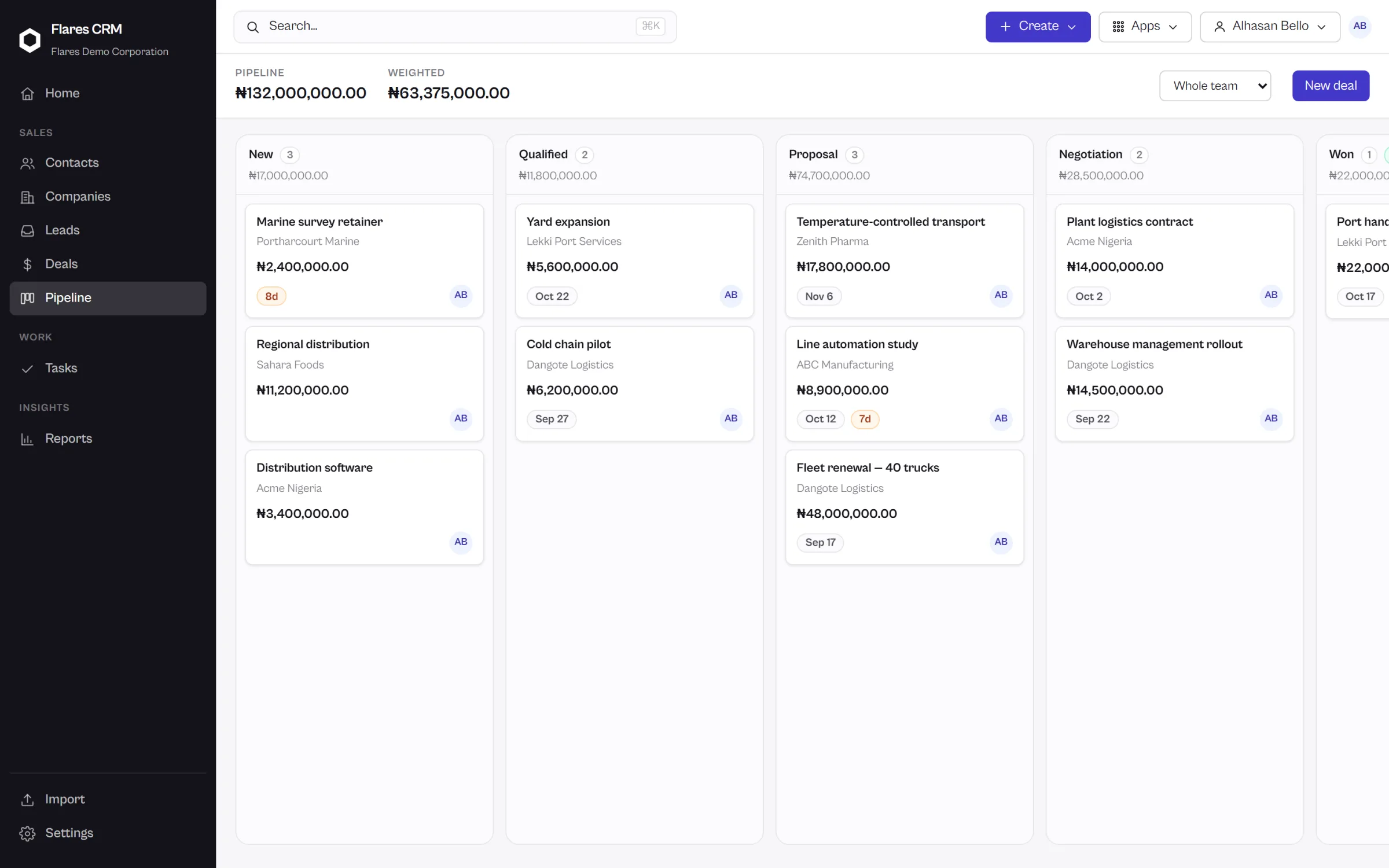
Deals on a board you can move by dragging. Stages that can insist on what a deal needs before it advances.
Move a deal by dragging it
The board is the pipeline: stages across, deals down, value and owner on every card. Moving one records the change and the history without anybody writing it down.
- Multiple pipelines when different sales need different shapes
- Stage requirements, so a deal cannot skip what matters
- Totals per stage, and what the whole pipeline is worth
History
Everything that happened. In order.
Notes, calls, meetings, tasks, stage changes and record edits gather on one timeline around the customer, so picking up somebody else’s account does not start with an archaeology dig.
One timeline per relationship
Activity recorded against a contact, a company or a deal appears in sequence — who did what, and when.
Tasks that are just sales work
Call Jane. Send the proposal. Follow up Friday. No epics, no sprints, no story points — a salesperson should not need a project-management vocabulary to plan a Tuesday.
Written as it happens
Moving a deal, changing an owner or completing a task is itself the record. The history is a by-product of doing the work, not a second job.
Speed
Find anything without leaving the keyboard.
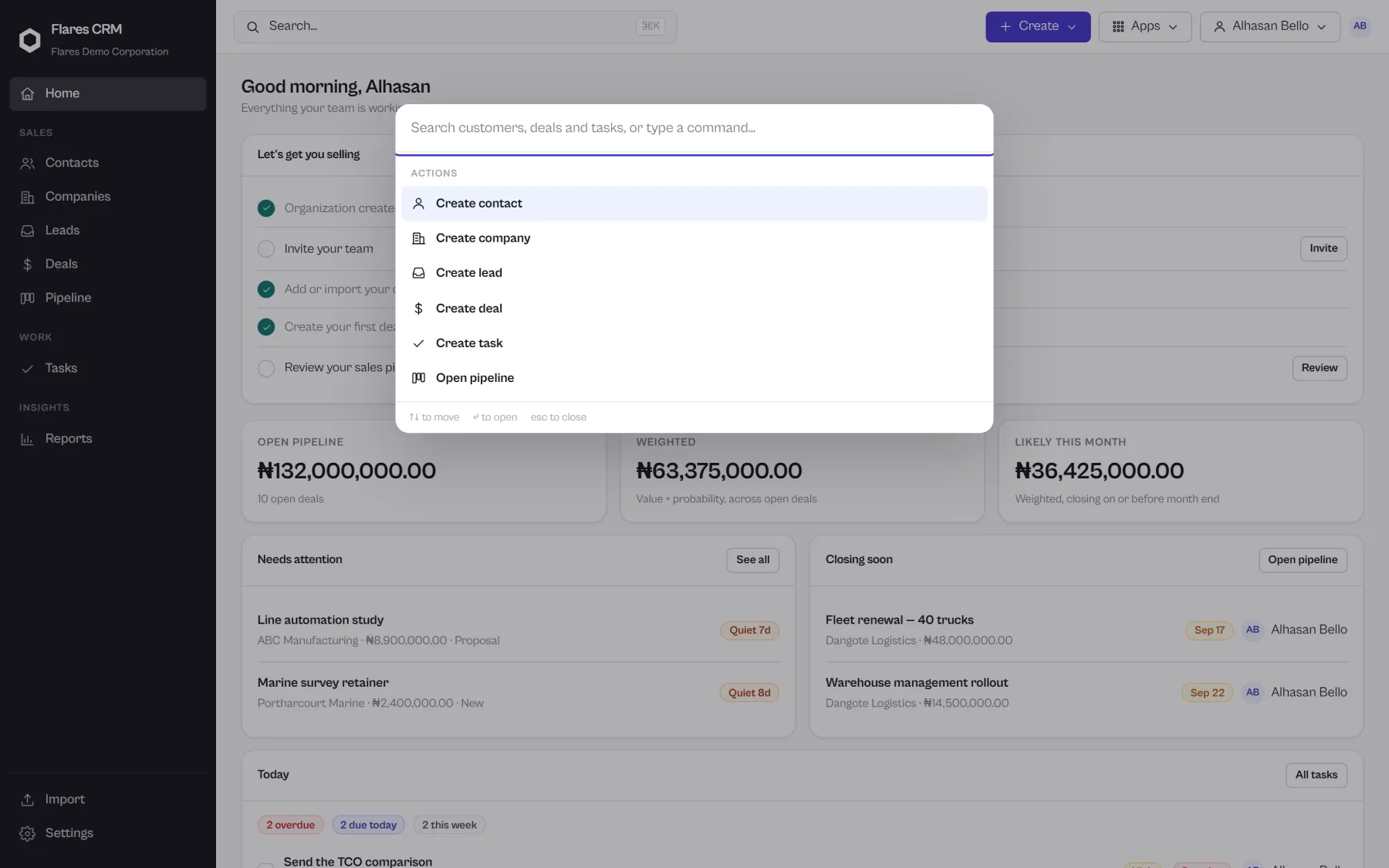
Search spans contacts, companies, leads and deals. The command palette opens on a keystroke and goes wherever you were heading.
Search, then act
Type a name, a company, part of an email address. Results arrive across every kind of record, and the thing you wanted is one key away.
Reporting
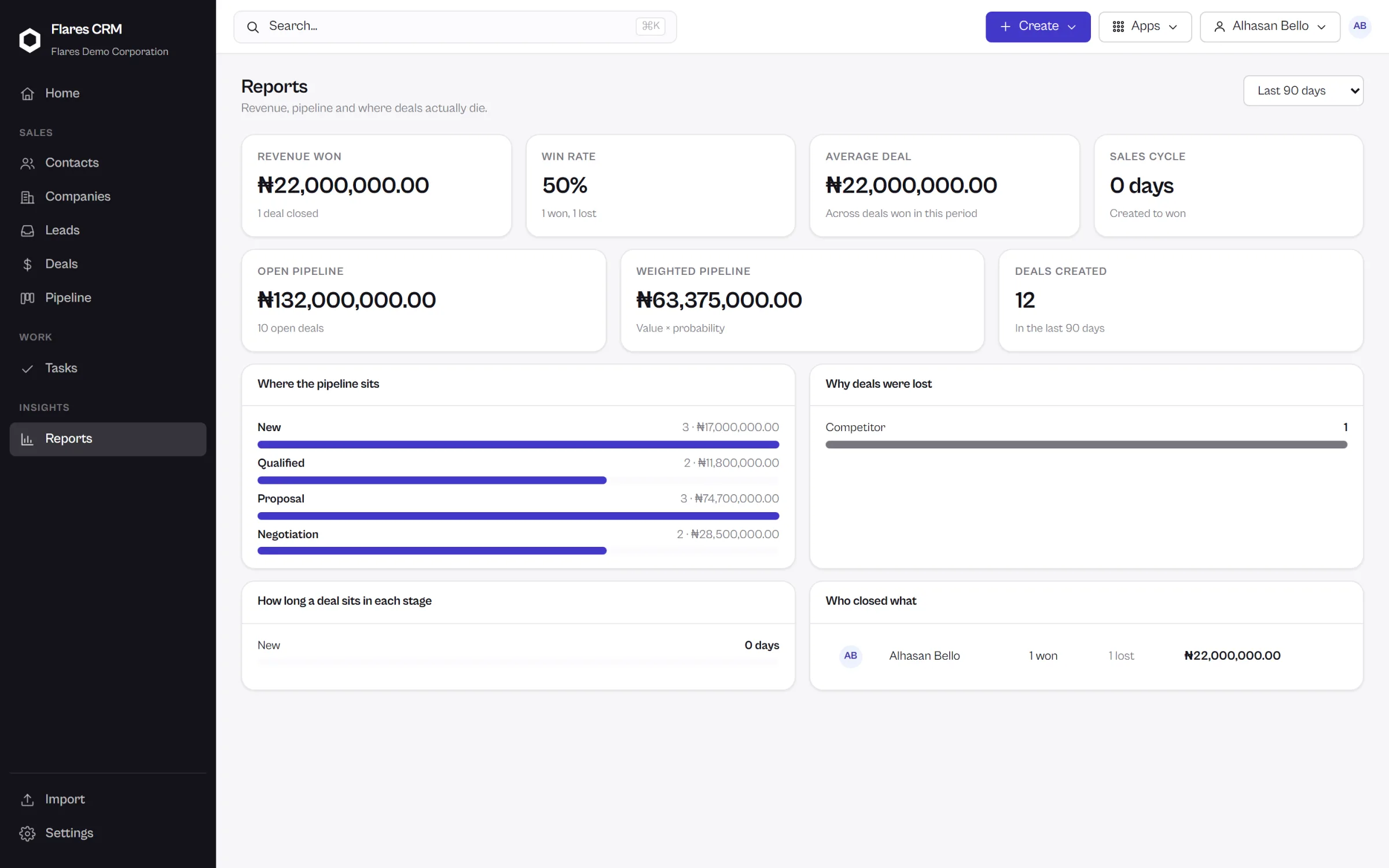
What the pipeline is actually doing.
Revenue won, what is open, how deals are converting and where they stall — drawn from the same records your team works in every day.
Numbers you did not have to assemble
Because the work happens in the CRM, the reporting is a view of the work rather than a separate reporting exercise somebody does on a Friday.
Getting started
Bring your customers with you.
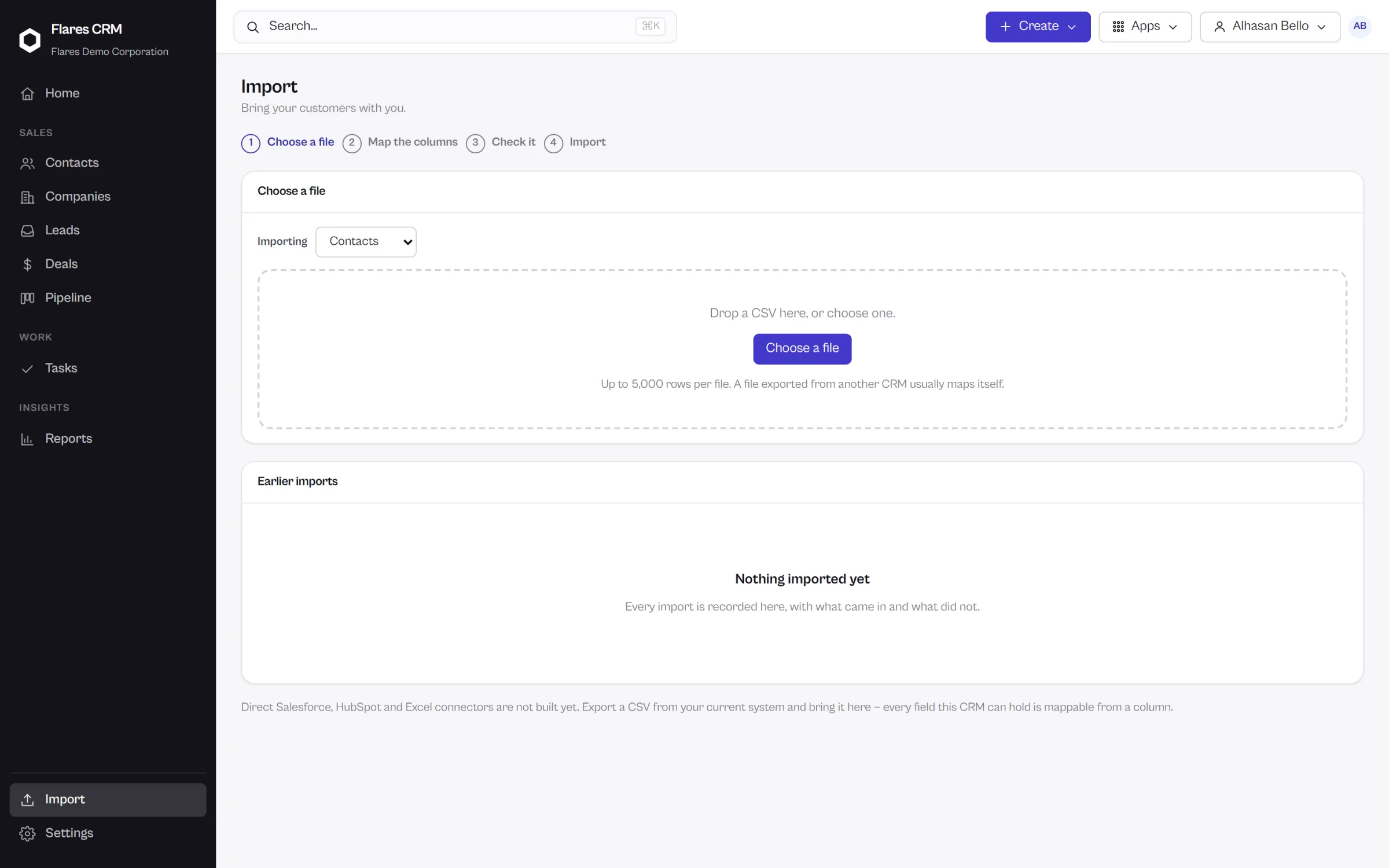
Export what you have as CSV and import it: map your columns, see exactly what will happen, then commit. Your data goes in, and it comes back out whenever you want it.
Import you can watch before it happens
Choose the file, match the columns to fields, preview the result and fix what is wrong — before a single record is written.
Adoption
Start with CRM. Keep everything else.
You do not have to move your company to Flares to use Flares CRM.
It runs on its own. Your team keeps the email, the calendar and the file storage they already use, and your customers, deals and follow-ups live here.
On its own
Flares CRM needs a Flares account and an organization. Nothing else. It is bought, set up and used independently of every other Flares product.
Part of something larger
Flares also builds Workspace, Drive, Docs, Calendar and Flares Cloud on the same account and organization foundation. If you adopt more later, the people and permissions are already shared.
Access
Who can see what, and what gets recorded.
One organization’s CRM is separate from every other. Inside it, what a person can see follows the job they do.
Roles that describe a job
Access follows the role somebody holds, not a checklist maintained per person.
Your organization is your own
Records belong to the organization that created them, and are not visible outside it.
Actions are recorded
Changes to records leave a trail, so the history of an account includes who changed it.
Your data is not held hostage
Export your records whenever you want them, in a format anything else can read.
Start with Flares CRM
Create your organization, import your contacts and work your first deal today. Talk to us if you would rather see it walked through first.